
jenkins声明式流水线语法详解
最基本的语法包含
- pipeline:所有有效的声明式流水线必须包含在一个 pipeline 块中
- stages:包含一系列一个或多个stage指令
- stage:stage包含在stages中进行,比如某个阶段
- steps:在阶段中具体得执行操作,一个或多个步骤
agent
指定了整个流水线特定的机器,比如多台slave节点,可以被定义在pipeline块顶层也可以根据stage层定义使用
(jenkins提供比较常用的流水线语法生成,输入对应的参数会自动生产)
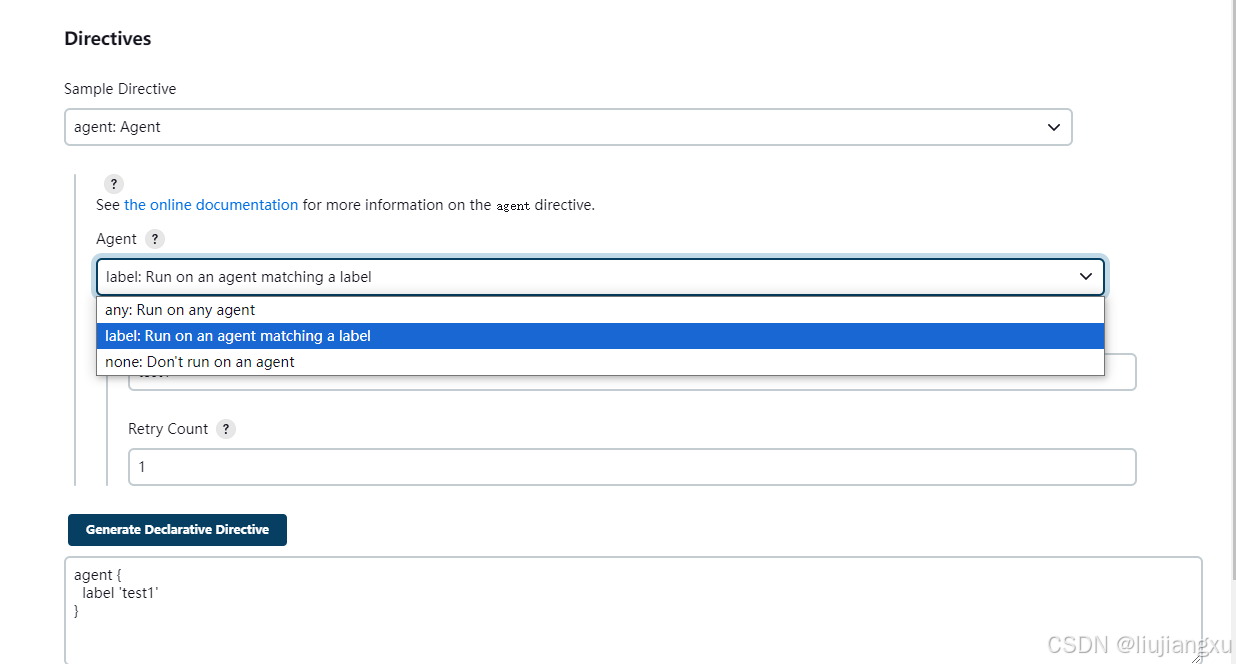
- any:在任意可用代理上执行流水线阶段。agent any
- label:在配置标签得jenkins环境中可用代理上执行。agent {label ‘my slave’}
- node:agent { node { label ‘labelName’ } } 和 agent { label ‘labelName’ } 一样, 但是 node 允许额外的选项 (比如 customWorkspace )
pipeline定义:
1 | pipeline { |
stage阶段定义:
1 | pipeline { |
post
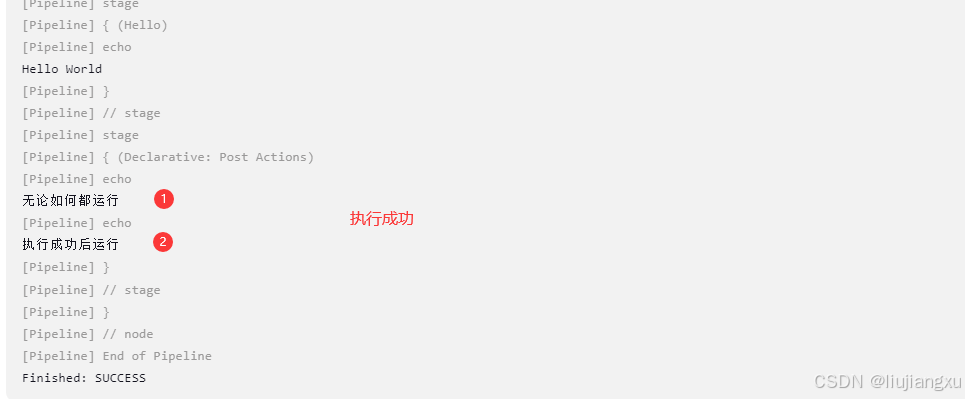
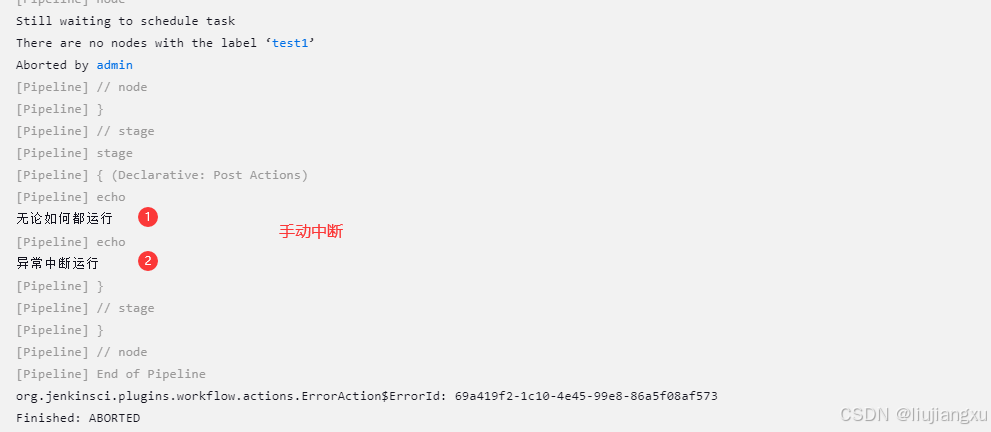
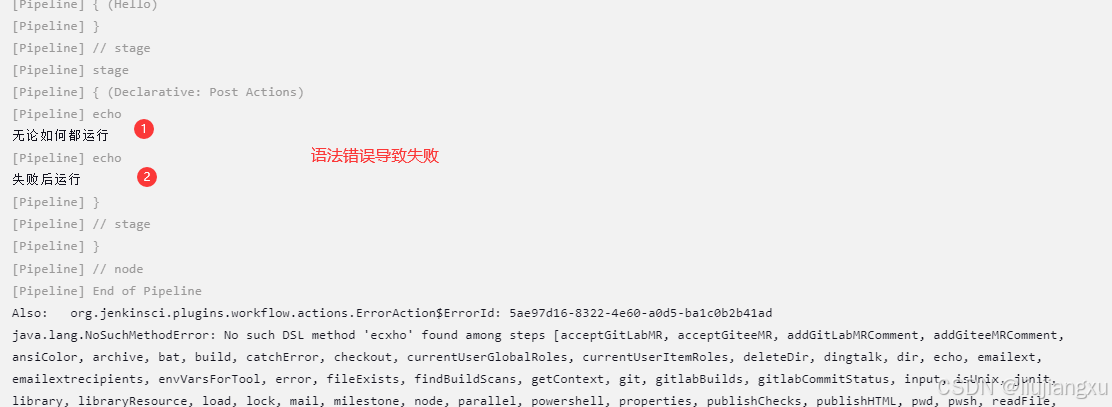
post部分定义一个或多个steps,这些阶段根据流水线完成情况而运行
- always:无论流水线完成状态如何,都继续运行
- changed:当前流水线完成状态与
之前不同时,运行该步骤 - failure:当前流水线完成状态
失败时,运行该步骤 - success:当前流水线完成状态
成功时,运行该步骤 - unstable:当前流水线完成状态
不稳定时,运行该步骤 - aborted:当前流水线完成状态
中断时,运行该步骤
1 | pipeline { |
模拟不同状态
always + success
always + aborted
always + failure
stages
包含一个或多个stage指令,至少包含一个
stage
一个stage标识一个阶段
steps
定义一些列一个或多个步骤操作
1 | pipeline { |
environment
定义为所有步骤的环境变量,全局变量/局部变量取决于environment在流水线的那个位置
示例
1 | pipeline { |
结果
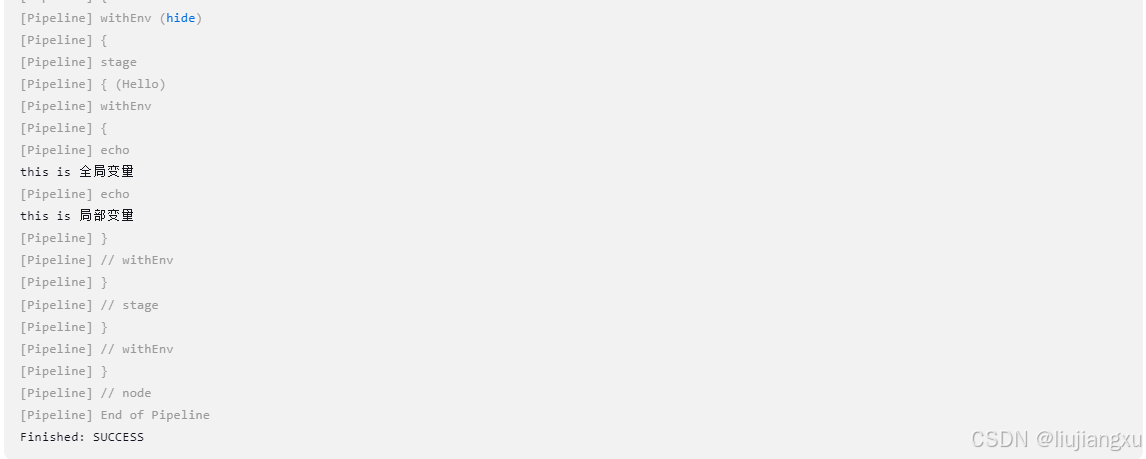
options
允许从流水线内部配置特定的选项,比如timestamps
- disableConcurrentBuilds:禁止并发构建
- skipStagesAfterUnstable:构建状态
不稳定时,跳过 - timeout:运行超时时间
- retry:失败时,重新构建的次数
- timestamps:控制台时间输出
- ansiColor:日志输出中启用ANSI颜色代码的支持
示例
1 | pipeline { |
结果
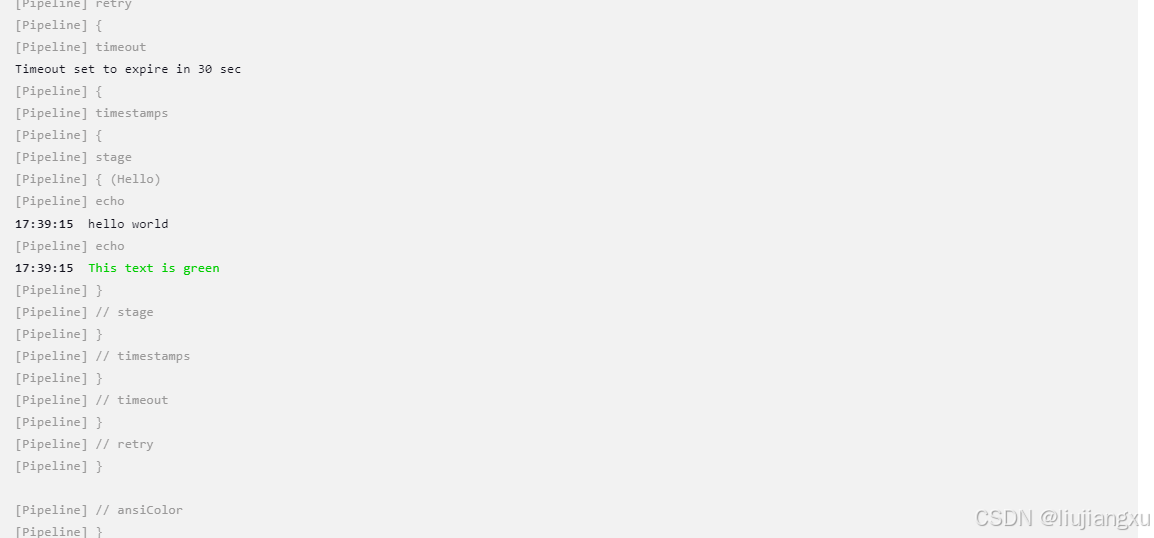
parameters
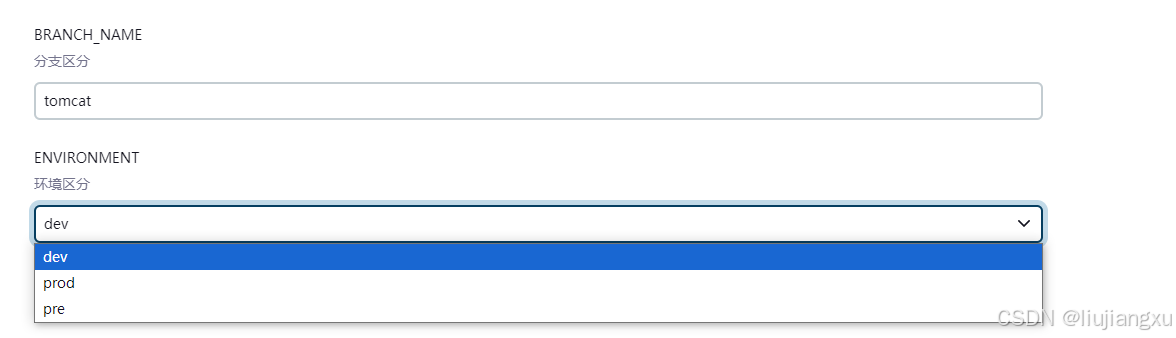
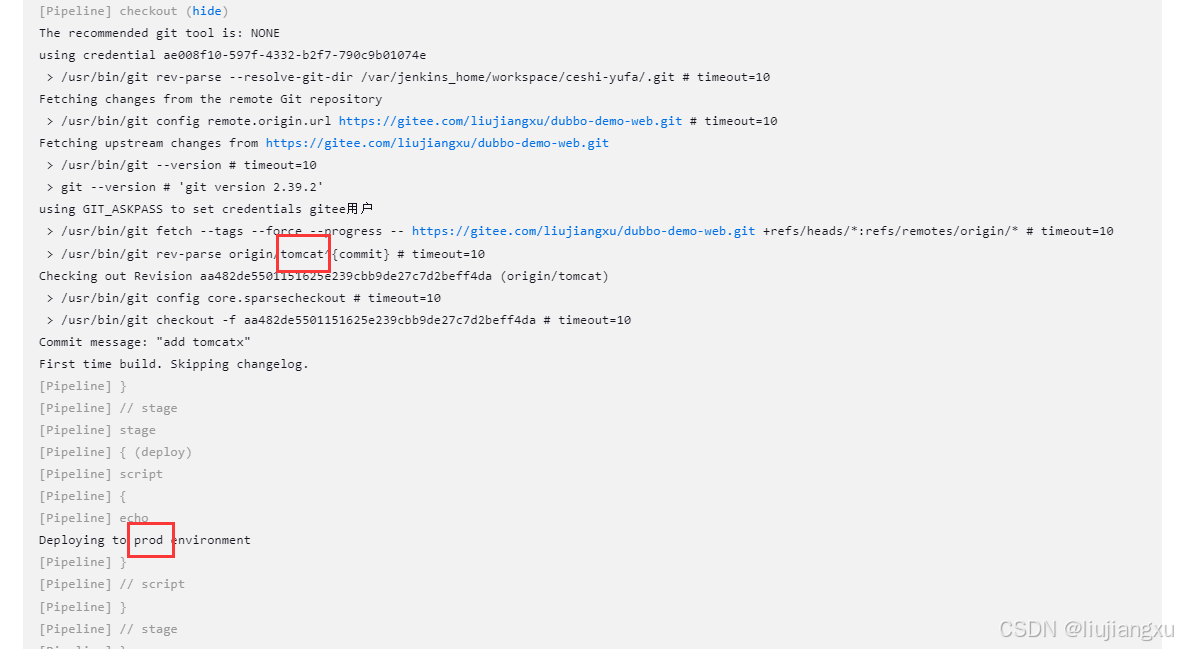
提供用户在触发流水线时应该提供的参数列表,参数化构建
- string:字符串类型参数
- booleanParam:布尔参数
- choice:从预定义选项列表中选择
- password:密码参数
示例
1 | pipeline { |
结果
triggers
定义流水线被重新触发的自动化方式
- cron:执行间隔,类似任务计划
- pollSCM:在设置间隔中,jenkins会检查新的源代码更新,如果更新,会被触发
- upstream:其他工程构建后触发
cron示例
1 | pipeline { |
upstream示例
1 | pipeline { |
pollSCM示例
1 | pipeline { |
tools
定义自动安装和放置PATH的工具一部分,根据全局工具配置选项自定义选择(例如不同业务需要不同的jdk8或者jdk11)如果 agent none 指定,则忽略该操作
- maven:编译环境
- jdk:java环境
示例
1 | pipeline { |
when
指令允许流水线根据给定的条件决定是否执行该阶段。when必须包含一个条件,当包含多个条件时,所有子条件必须返回true才会执行
- branch:用于检查当前构建的分支是否与指定的分支模式匹配时执行
- environment:用于检查环境变量是否满足给定的名称和值。如果环境变量存在且值匹配时执行
- not:用于反转另一个条件的结果。如果内部条件不满足(即返回false)时执行
- allOf:用于组合多个条件,只有当所有子条件都满足时(即都返回true)时执行
- anyOf:用于组合多个条件,但与allOf不同,只要至少一个子条件满足(即返回true),就会执行
bracnch示例
1 | pipeline { |
environment示例
1 | pipeline { |
not示例
1 | pipeline { |
allOf 示例
1 | pipeline { |
anyOf 示例
1 | pipeline { |
本博客所有文章除特别声明外,均采用 CC BY-NC-SA 4.0 许可协议。转载请注明来源 liujxu!
 wechat

相关推荐

2025-12-25
jenkins+mvn使用自定义jdk
jenkins2.357开始已经全面放弃jdk1.8从而使用openjdk11,但是项目一般都是用的比较老的java环境打包构建 配置java环境(此方式测试有问题)新增不同jdk配置和路径 新增后项目选择对应java8 构建命令 打包构建失败原因在build阶段多了 mvn命令导致去掉就正常了,mvn插件安装后默认运行带了mvn命令 1clean package -DskipTests=true 执行过程jdk报错 在Jenkins中,如果默认使用的是JDK 11,但你在Maven项目中自定义使用了JDK 8,那么在执行构建时,由于类文件版本不兼容,最终还是调用了自带的java环境(配置jdk1.8报错但是最终继续可以打包完成是因为还是调用自带的jdk11构建的) 流水线构建指定mvn使用jdk1.8环境12345#在mvn二进制文件中,会获取当前环境的$JAVA_HOME环境mvn文件增加自己安装的jdk路径即可[root@iZ3ic060uyx26md9jijcexZ bin]# /usr/local/apache-maven-3.6.3/bin[root@iZ3i...

2025-12-25
jenkins启动tomcat失败
在shell终端启动正常,使用jenkins构建执行命令无效? 在被执行脚本最上方设置jdk变量,然后再去jenkins执行试试看? 1234#!/bin/bashexport JAVA_HOME=/usr/local/jdk1.8.0_221export PATH=$JAVA_HOME/bin:$PATHexport CLASSPATH=.:$JAVA_HOME/lib/dt.jar:$JAVA_HOME/lib/tools.jar

2025-12-25
jenkins容器自定义配置密钥+jdk+maven环境
当使用到maven项目时会用到jdk和maven环境,也需要ssh密钥避免容器重启消失,我使用容器版本jenkins2.344自带openjdk11,与打包项目不兼容会出现构建报错,所以到此自定义环境及版本使用,以下使用dockerfile构建重新打包新的镜像从源头解决 Dofilefile构建 此处遇到痛点Dockerfile文件source全局配置文件一直不生效,会导致容器启动后需手动source,解决方式就是将souce /etc/profile写到~/.bashrc文件中完美解决 12345678FROM harbor.od.com/public/jenkins:v2.344USER rootRUN ssh-keygen -q -t rsa -N '' -f /root/.ssh/id_rsaADD ./apache-maven-3.6.3-bin.tar.gz /usr/local/ADD ./jdk1.8.0_221.tar.gz /usr/localRUN echo " export JAVA_HOM...

2025-12-25
jenkins容器部署定时构建于本地时间不一致
Dockerfile123456789FROM jenkins/jenkins:2.411-jdk11USER root#以下生成密钥方式为旧格式,因为新格式暂不能被"Publish over SSH--->Jenkins SSH Key"功能识别RUN ssh-keygen -q -m PEM -t rsa -b 2048 -N '' -f /root/.ssh/id_rsaADD ./apache-maven-3.6.3-bin.tar.gz /usr/local/ADD ./jdk1.8.0_221.tar.gz /usr/local#配置maven全局环境变量RUN echo "export MAVEN_HOME=/usr/local/apache-maven-3.6.3 \n export PATH=\$MAVEN_HOME/bin:\$PATH:/opt/java/openjdk/bin" >> /etc/profileRUN echo "source /etc/profile...

2025-12-25
jenkins批量删除构建历史
执行路径:系统设置 ➔ 工具和动作 ➔ 脚本命令行 12345678def jobName = "TEST-client" # 项目名称def maxNumber = 64Jenkins.instance.getItemByFullName(jobName).builds.findAll {it.number <= maxNumber}.each {it.delete()}

2025-12-24
jenkins本地环境迁移至容器运行
jenkins版本2.306因云盾检测出应急漏洞Jackson 最新反序列化漏洞(CVE-2019-14361和CVE-2019-14439)【版本检测】,因此整改迁移至docker,当然按照自己习惯也可以升级新版本或者打补丁方式,操作方式不限 docker镜像12345678拉取镜像(拉取后版本也是2.306)[root@10.1.74.109 ~]# docker pull jenkins/jenkins:latest创建挂载文件[root@10.1.74.109 ~]# mkdir /home/jenkins_home/运行容器[root@10.1.74.109 ~]# docker run -itd --name jenkins -p 8081:8080 --restart=always -e TZ="Asia/Shanghai" -e JENKINS_OPTS="--prefix=/jenkins" -e JENKINS_ARGS="--prefix=/jenkins" -v /home/jenkins_ho...